 Nox
NoxWork logs
Nox records focused work as sessions. A session includes the task or todo, time spent, when the work happened, and an optional note.
The easiest way to create a log is to finish a Lock In session. You can also use the time control in the header to log time directly.
Logs power task progress, Today’s totals, weekly reports, and Analytics. Because each session is a separate record, you can correct or remove it without changing unrelated work.
Write short, factual notes such as “Completed first draft” or “Blocked by customer data.” These make weekly reviews and AI summaries much more useful.
You can find the detailed daily log under Menu → Analytics → Daily.
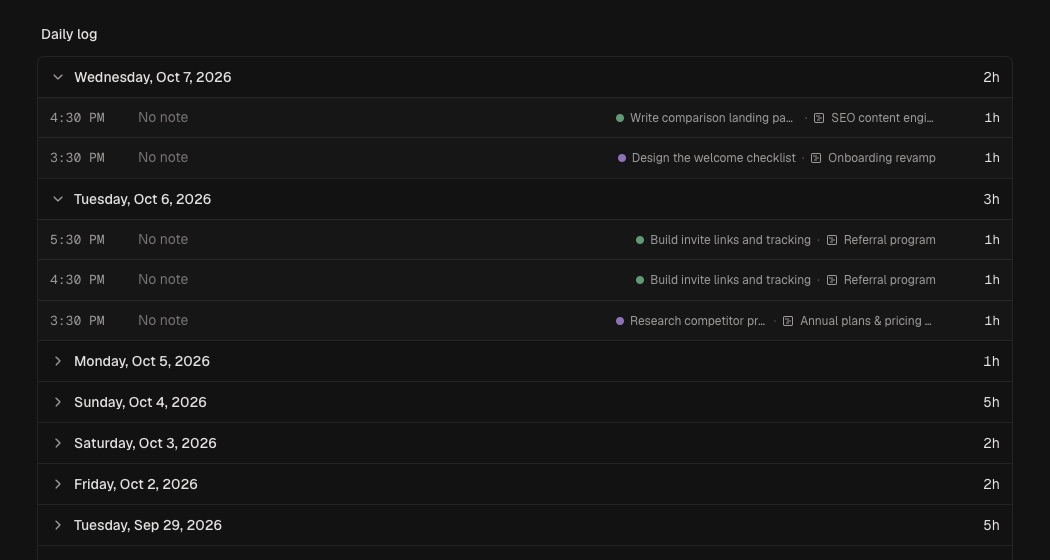
Use direct logging when you worked without Lock In or need to record time afterward. Attach entries to the correct task so reviews remain accurate.
A useful note captures an outcome, decision, or blocker. “Found mobile checkout drop-off; next inspect payment errors” helps you resume quickly.
Correct mistakes in the log. Reliable history improves estimates and weekly summaries.