 Nox
NoxTurn big goals into a clear plan
Set goals with real targets, break them into projects, and give every project tasks you can finish. Your whole plan lives on one screen.
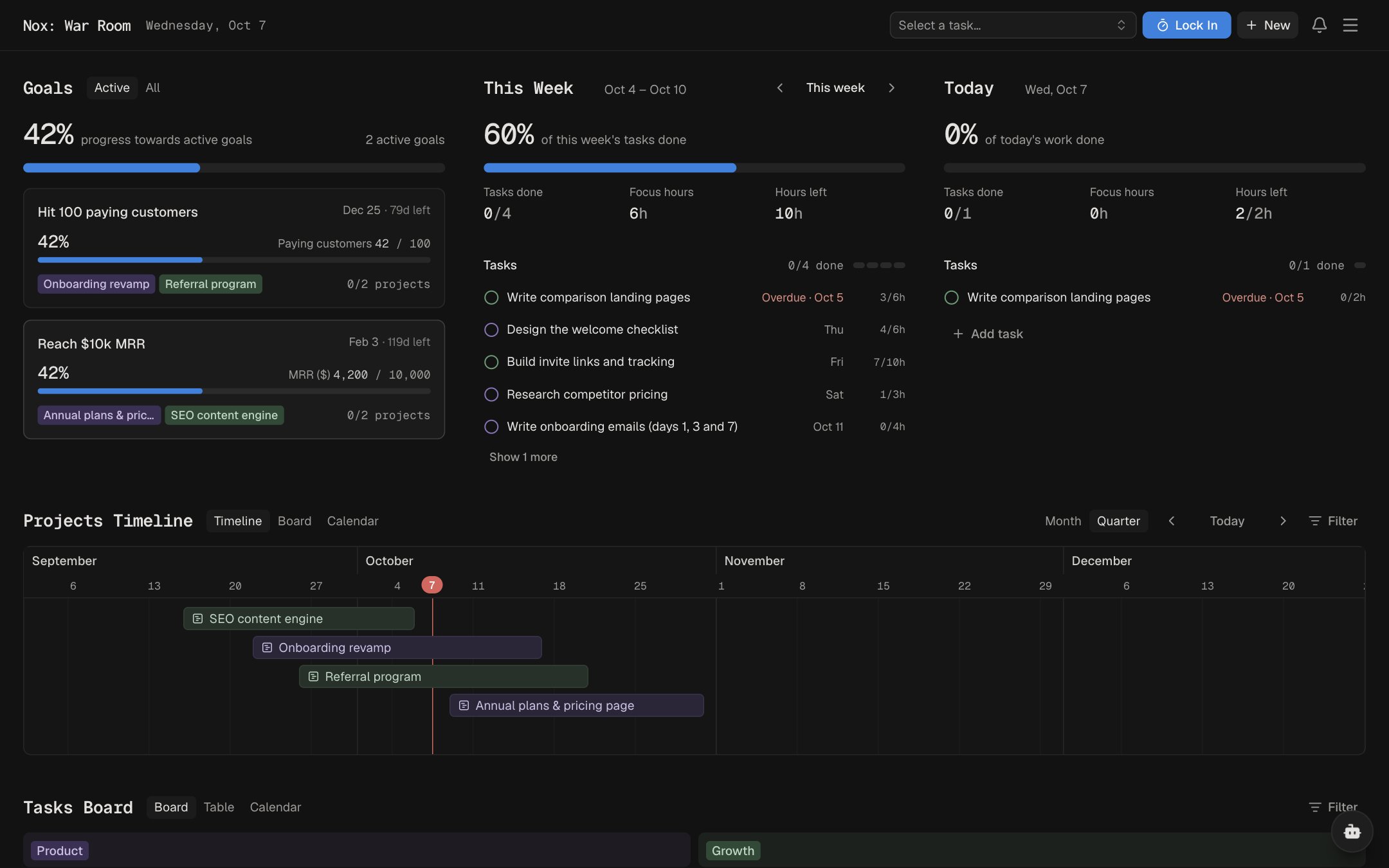
Goals with targets
Give each goal a measurable target, like paying customers or revenue, so you always know how close you are.
Projects on a timeline
See projects as a timeline, a board or a calendar, and spot what's due next.
Tasks with estimates
Add estimates and deadlines to tasks so each day's list is realistic.
How planning works in Nox
Nox is a goal-based planner. Every task belongs to a project, and every project moves a goal forward, so your plan reads from the big picture down to what you'll do today.
- Set a goal with a targetName the outcome, give it a deadline, and add a measurable target like paying customers or revenue.
- Break it into projectsAdd the projects that move the goal, then see them on a timeline, a board or a calendar.
- Add tasks you can finishGive each task an estimate and a deadline. Today fits your tasks into an 8-hour day.
Goal
Projects
Tasks
Planning FAQ
What's the difference between goals, projects and tasks in Nox?
Goals are the outcomes you want, and can have a measurable target. Projects are the bodies of work that move a goal forward. Tasks are the day-to-day work inside each project, with estimates, deadlines and subtasks.
Can I see my projects on a timeline?
Yes. Projects can be shown as a timeline, a board or a month calendar, and you can filter them by category and status.
How do task estimates work?
Estimates can be 15, 30 or 45 minutes, or whole hours. Today uses them to fit your tasks into an 8-hour day and lists the rest under Doesn't fit today.
What happens when I miss a deadline?
You choose in Preferences: let overdue items slip after a grace period, roll them to today, or leave them. Tasks with a hard deadline never slip.
Can AI help me plan?
Yes. Describe a goal to Hopium, the AI assistant, and it proposes goals, projects and tasks. Nothing is added until you accept it. AI features need your own API key.
Is Nox's planner free?
Yes. Every feature in Nox, including planning, is free during the private beta.