 Nox
NoxToday and This Week
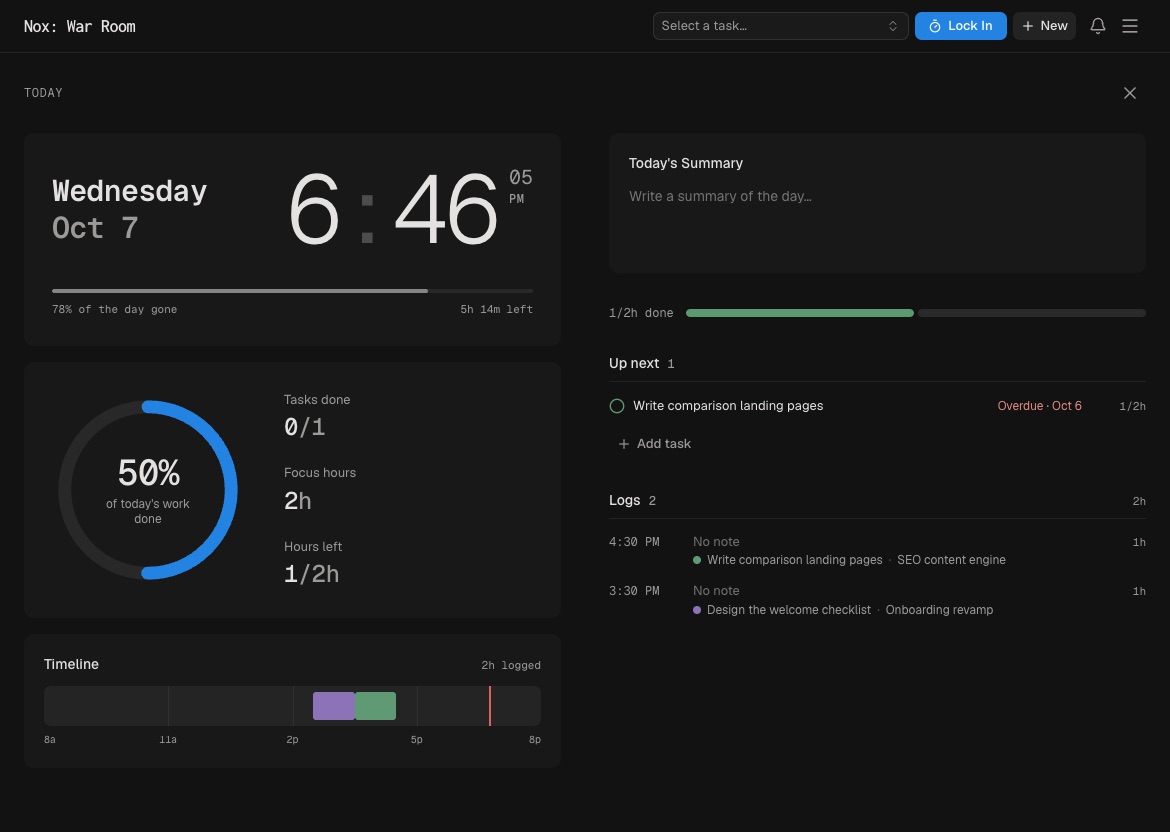
Today is your commitment for the day. It combines planned and due tasks with quick todos, then compares the work with an eight-hour day.
Add or remove work from Today without changing its project or status. If the plan is too large, Nox separates the items that do not fit. Treat that as useful feedback, not a challenge to squeeze in more.
Click Today to open the full-screen day view. It includes your plan, focus sessions, progress, timeline, and daily notes.
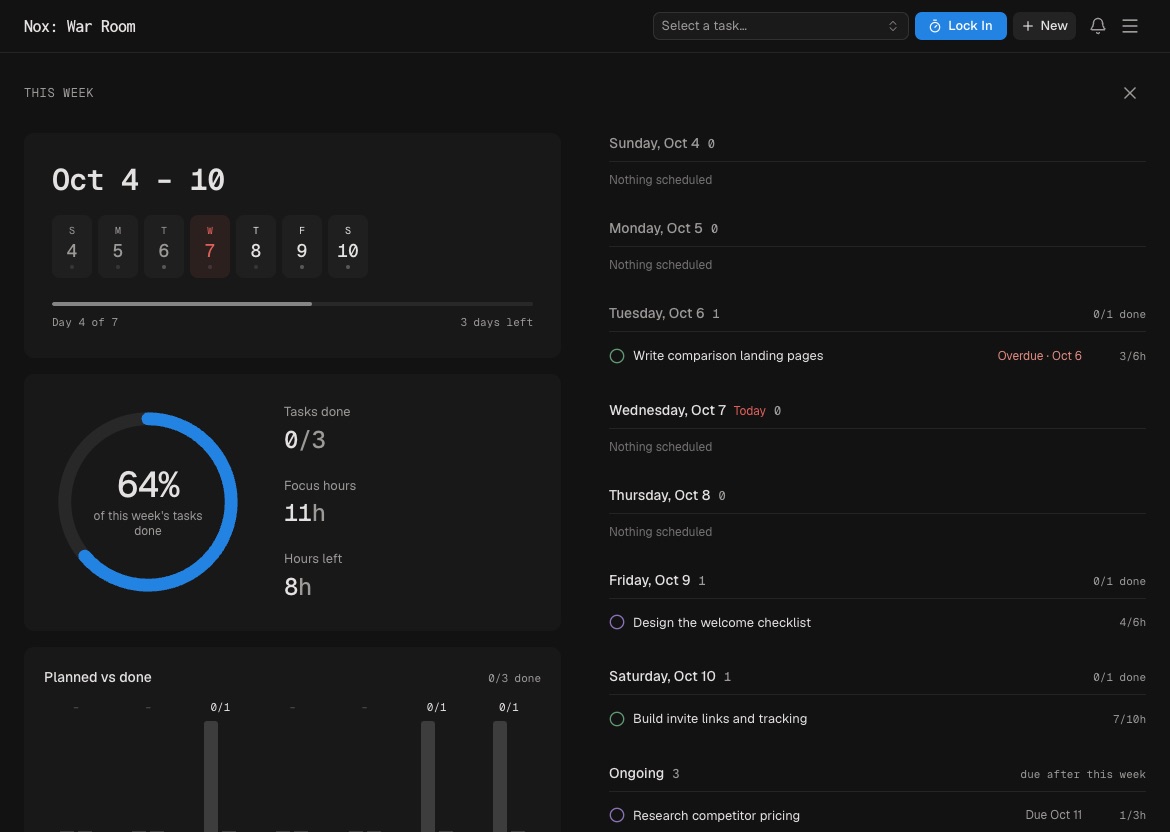
This Week gives a wider view of planned versus completed work, focus hours, and each day’s activity. Use it to adjust the week before work becomes overdue.
A simple rhythm: plan Today in the morning, Lock In during the day, and check This Week before signing off on Friday.
When choosing Today, start with deadlines and high-impact work, then account for meetings. An eight-hour day does not necessarily contain eight focus hours.
Today can change. Remove an item when priorities shift. The goal is a credible commitment, not everything you hoped to attempt.
Use This Week to catch imbalance early—for example, one project consuming every session while another important deadline receives no time.