 Nox
NoxPreferences, categories, and themes
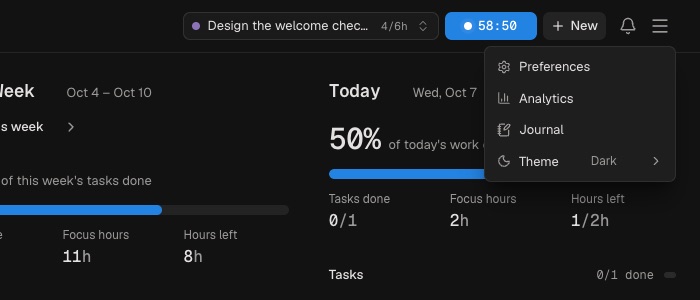
Open Menu → Preferences to shape Nox around the way you work.
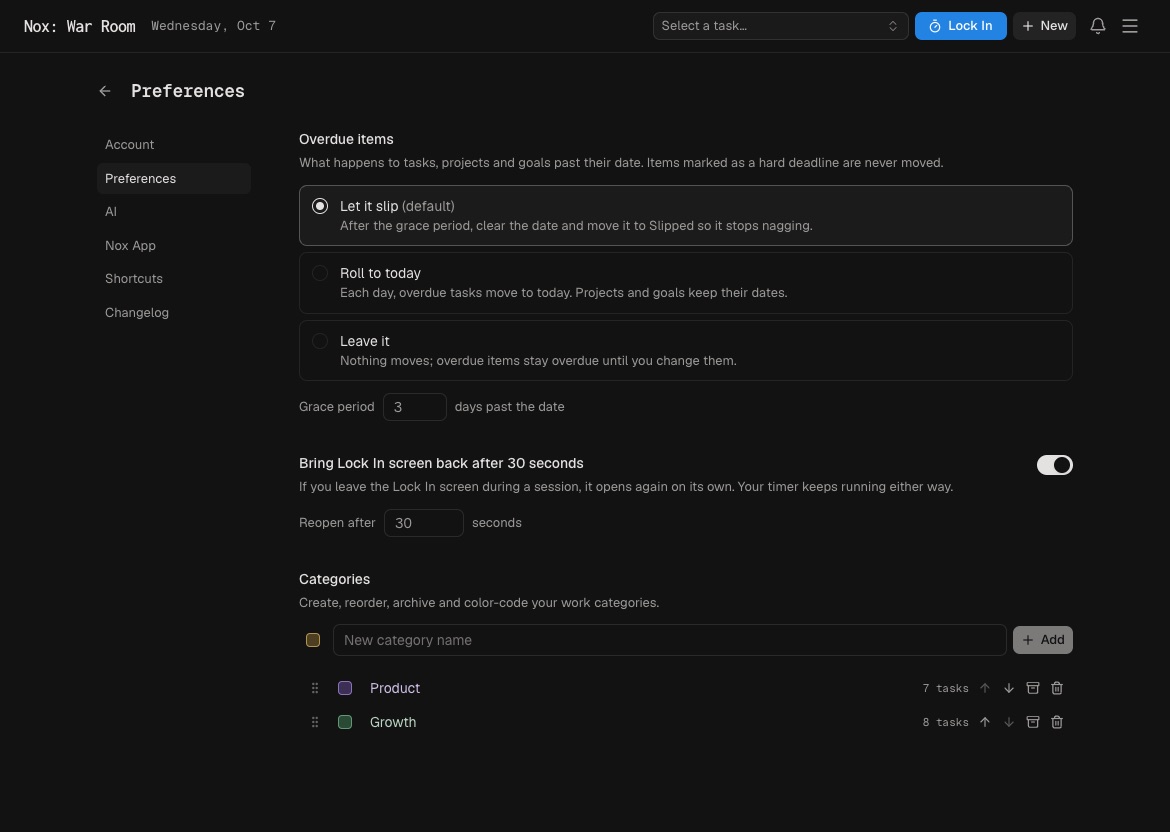
Categories
Categories group related projects and tasks—for example, Client Work, Product, or Personal. Give each one a color, reorder it, or archive it when it is no longer useful. Categories are optional; uncategorized work still works normally.
Work behavior
Choose how Nox handles overdue items and whether the Lock In screen should return automatically when you leave it during a session.
Appearance and access
Use the main menu to choose Light, Dark, or System theme. The Preferences area also contains your AI connection, Mac app instructions, keyboard shortcuts, account activity, and changelog.
Start with defaults and change a preference only when it removes friction from your actual routine.
Categories describe ongoing responsibilities, not outcomes. “Marketing” can contain many projects; “Launch October campaign” is a project. Keep the category list small.
Archive a category when it is inactive but its history still matters. Reorder categories to keep frequent areas easy to reach.
Check the Changelog after updates. The Account tab summarizes focus activity and provides access to sign out.
Back to: Nox Docs