 Nox
NoxAnalytics
Analytics turns your work logs into a clear picture of how you spend time and where progress is happening.
Open Menu → Analytics and choose:
- Daily for today, the last seven days, streaks, average session length, time by weekday, projects, and individual logs.
- Weekly for a four-week overview and expandable reports for each week.
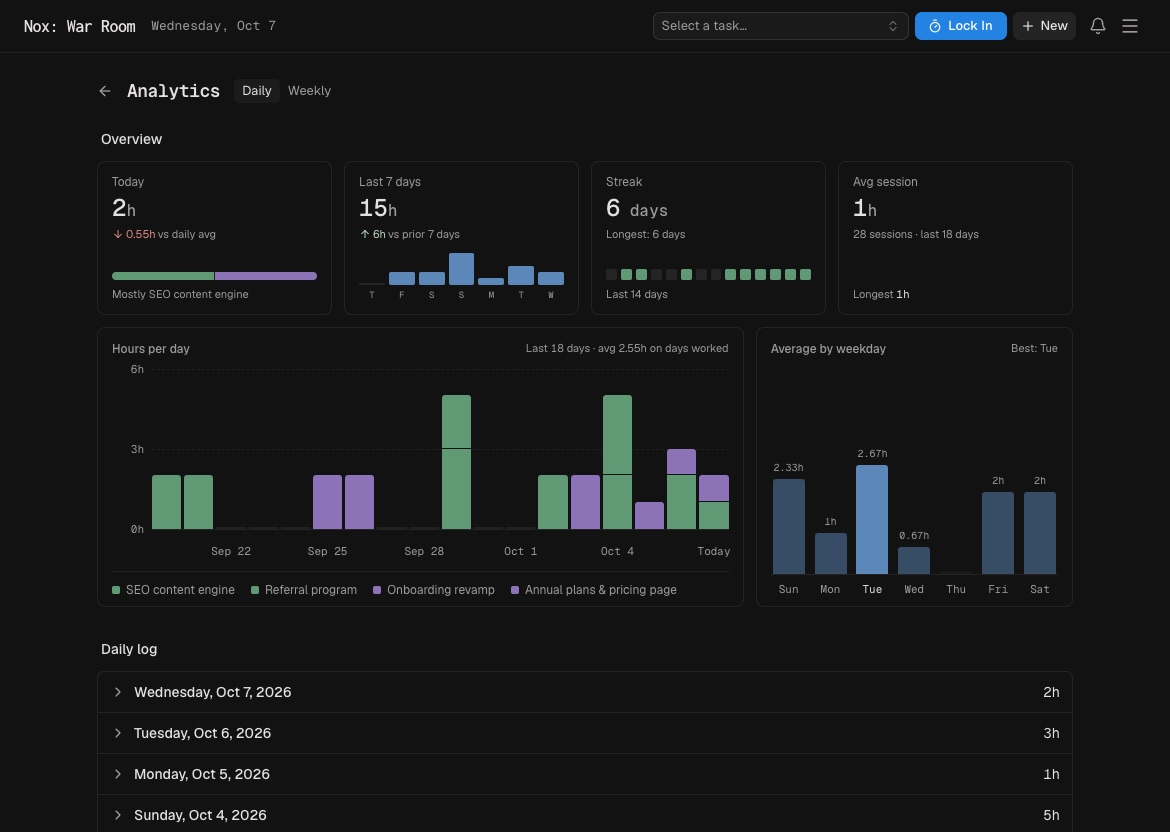
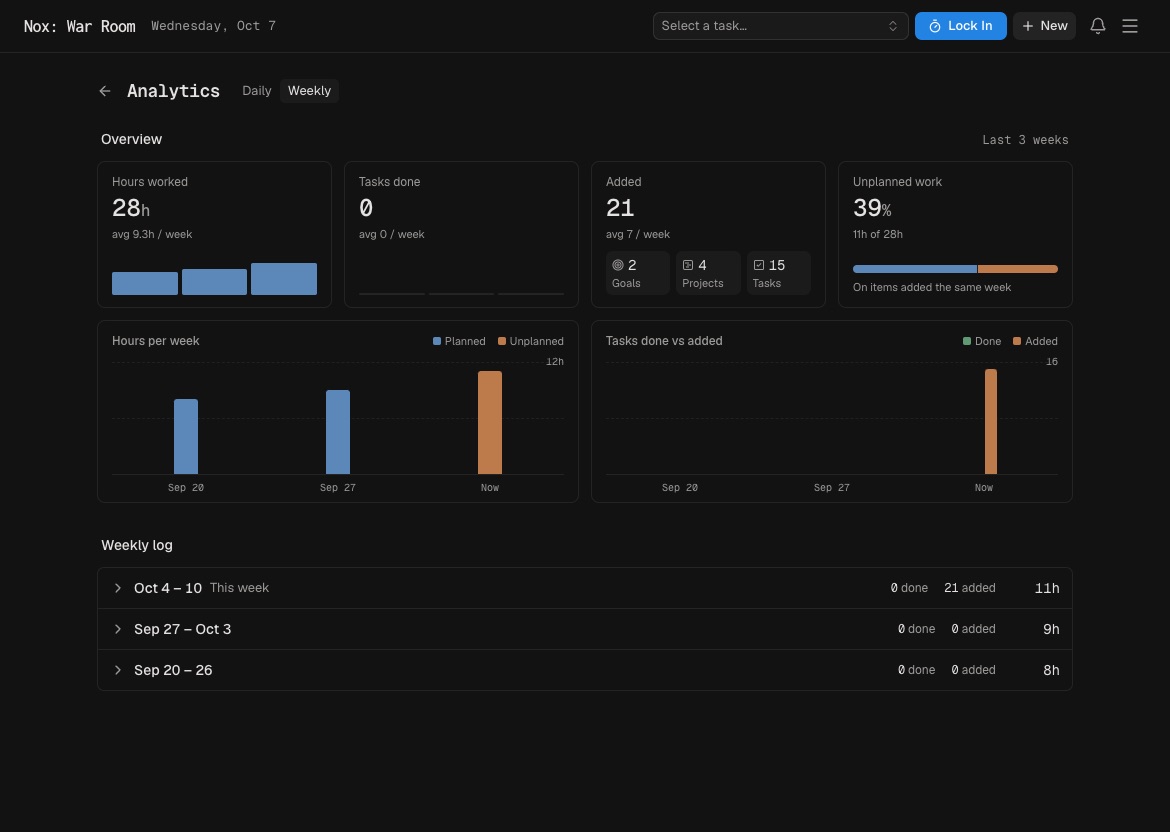
Use Analytics for reflection, not surveillance. Look for patterns: which projects receive attention, which days work best, and whether your estimates match reality.
Weekly review prompts:
- What moved forward?
- Where did time go unexpectedly?
- What should receive less or more attention next week?
Do not judge a day only by hours. A short session on the right task can matter more than a long, scattered day.
Over several weeks, look for low estimates, stronger focus days, projects absorbing time without progress, or goals receiving no work. Use those patterns to change scope or sequencing.