 Nox
NoxTasks and quick todos
Tasks are the actions that move projects forward. Add a title, project, status, estimate, dates, notes, links, and subtasks as needed.
Use specific, visible actions: “Draft pricing page copy” is easier to start than “Work on marketing.” Estimates help Nox show what fits into the day and make plans more realistic.
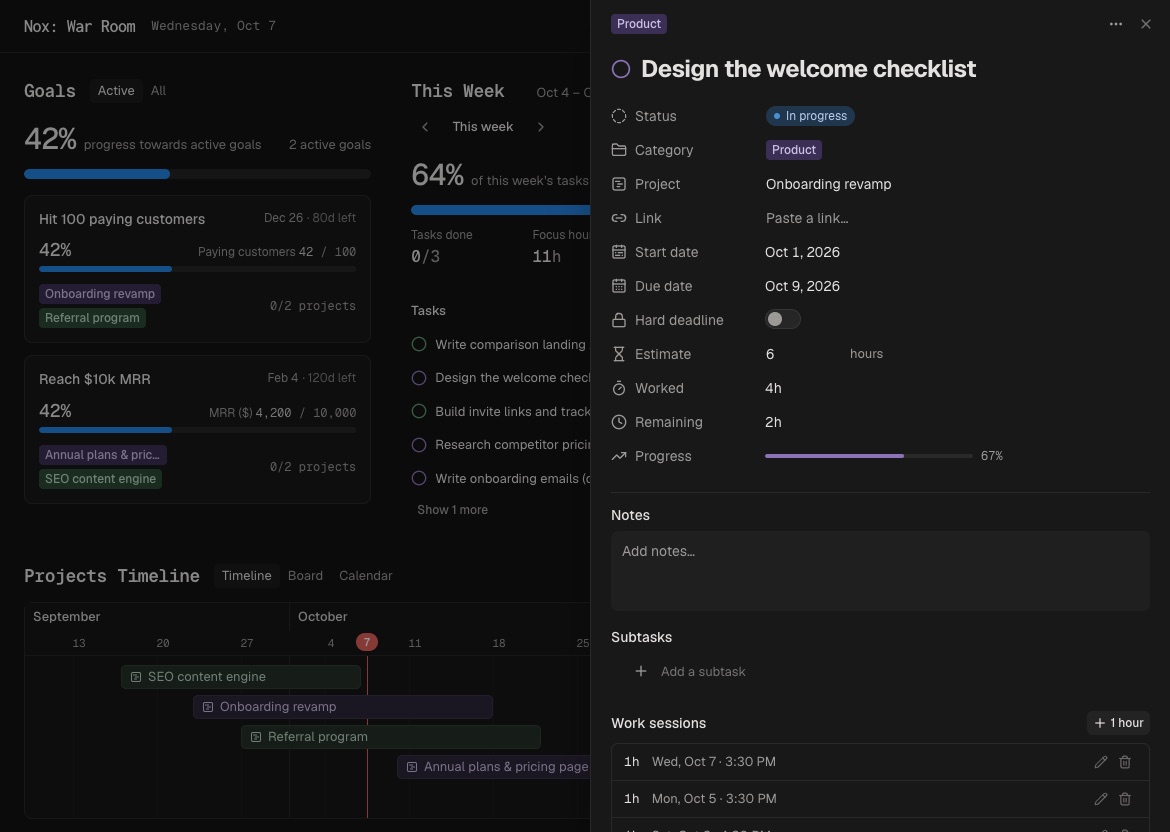
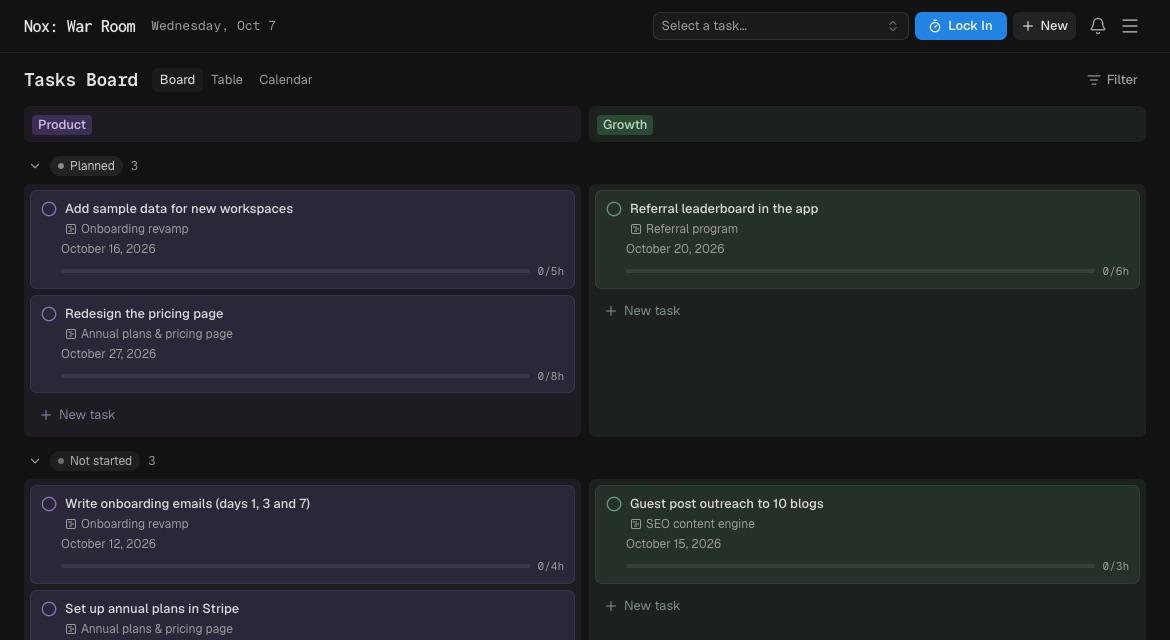
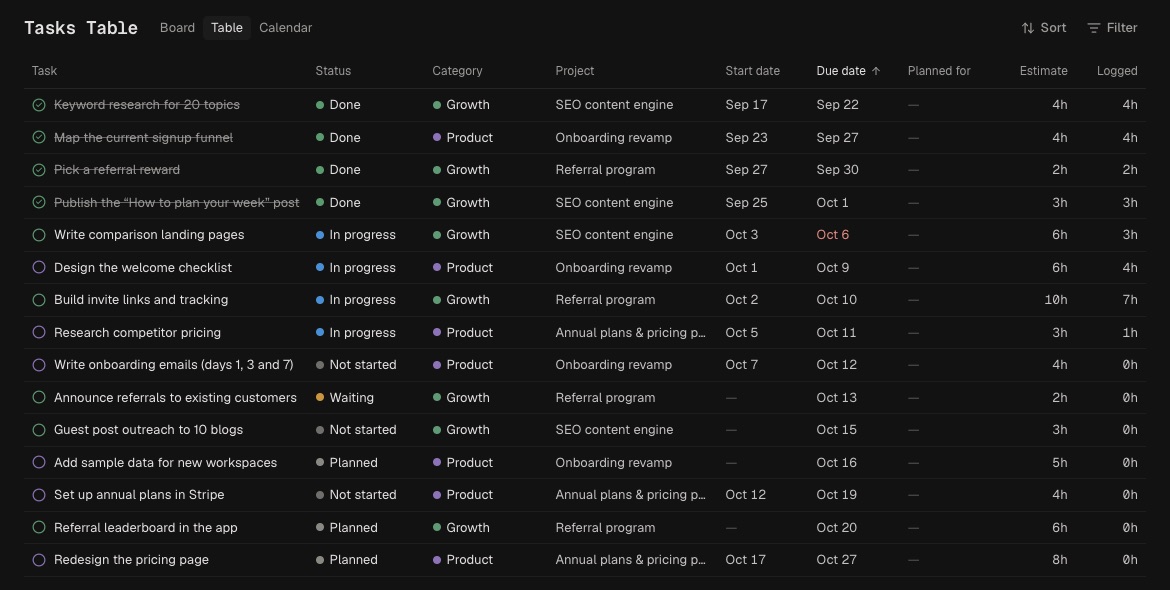
Tasks can move through Planned, Not started, In progress, Waiting, and Done. View them on the main board, in a sortable table, or on the calendar.
Use a quick todo for small work that does not need a project, such as “Reply to Sam.” Todos can still have an estimate, appear on Today, and run in Lock In.
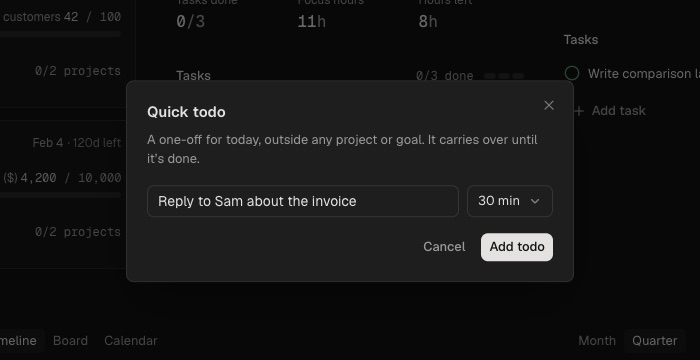
Rule of thumb: use a task when context and progress matter; use a quick todo when you only need to remember and finish it.
Use subtasks for execution steps that do not need their own schedule or estimate. Reorder and check them off from the task or during Lock In.
A planned date places work; a due date says when it must finish. Reserve hard deadlines for immovable commitments.
Review stalled tasks. Clarify the next action, move to Waiting, reschedule, or remove it. A smaller trustworthy list beats a complete but neglected one.