 Nox
NoxKeyboard shortcuts
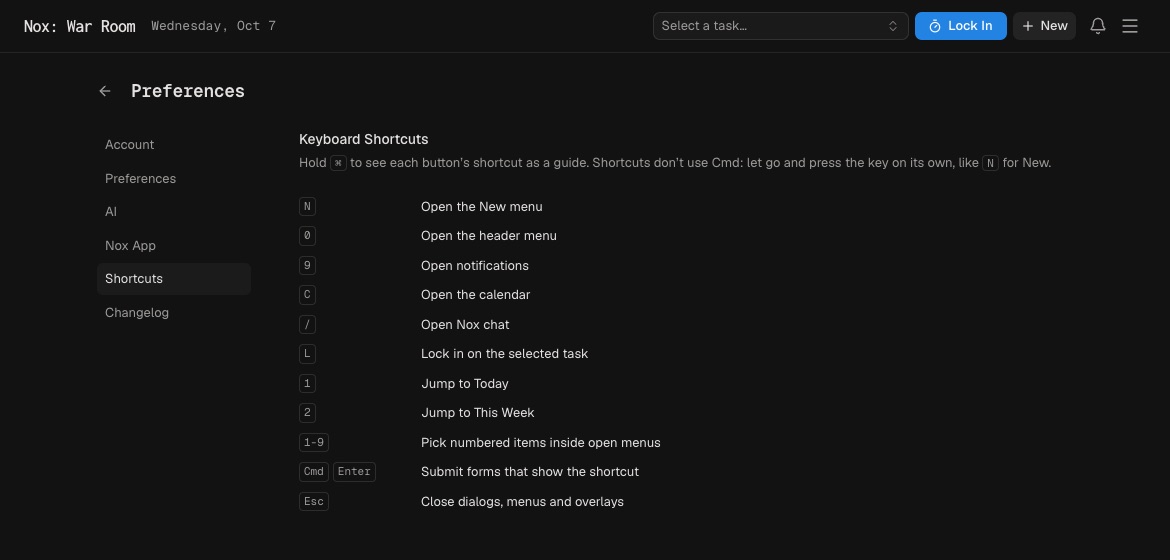
Nox shortcuts are designed for quick navigation. Most use a single key; do not hold Cmd or Ctrl unless shown.
| Key | Action |
|---|---|
N | Open the New menu |
0 | Open the main menu |
9 | Open notifications |
C | Open the calendar |
/ | Open Nox chat |
L | Start Lock In on the selected task |
1 | Open Today |
2 | Open This Week |
1–9 | Choose numbered items in an open menu |
Cmd/Ctrl + Enter | Submit forms that show the shortcut |
Esc | Close a dialog, menu, or overlay |
Hold Cmd on Mac or Ctrl elsewhere to reveal shortcut hints on buttons. You can hide these hints under Menu → Preferences → Shortcuts.
Single-key shortcuts do not fire while you type in an input or editor. Number keys apply to the currently open menu.
You do not need to memorize everything. Start with N for capture, L for focus, / for chat, and 1 for Today. Add the navigation shortcuts once those are familiar.
Inside Lock In, follow the visible controls for pausing and completing a session. Use Esc to return to the workspace.