 Nox
NoxLock In
Lock In is Nox’s focus mode. It creates a quiet space for one task and records the time you actually spend on it.
Start from a task or quick todo, or press L and choose what to work on. You can also begin without a task and attach one later.
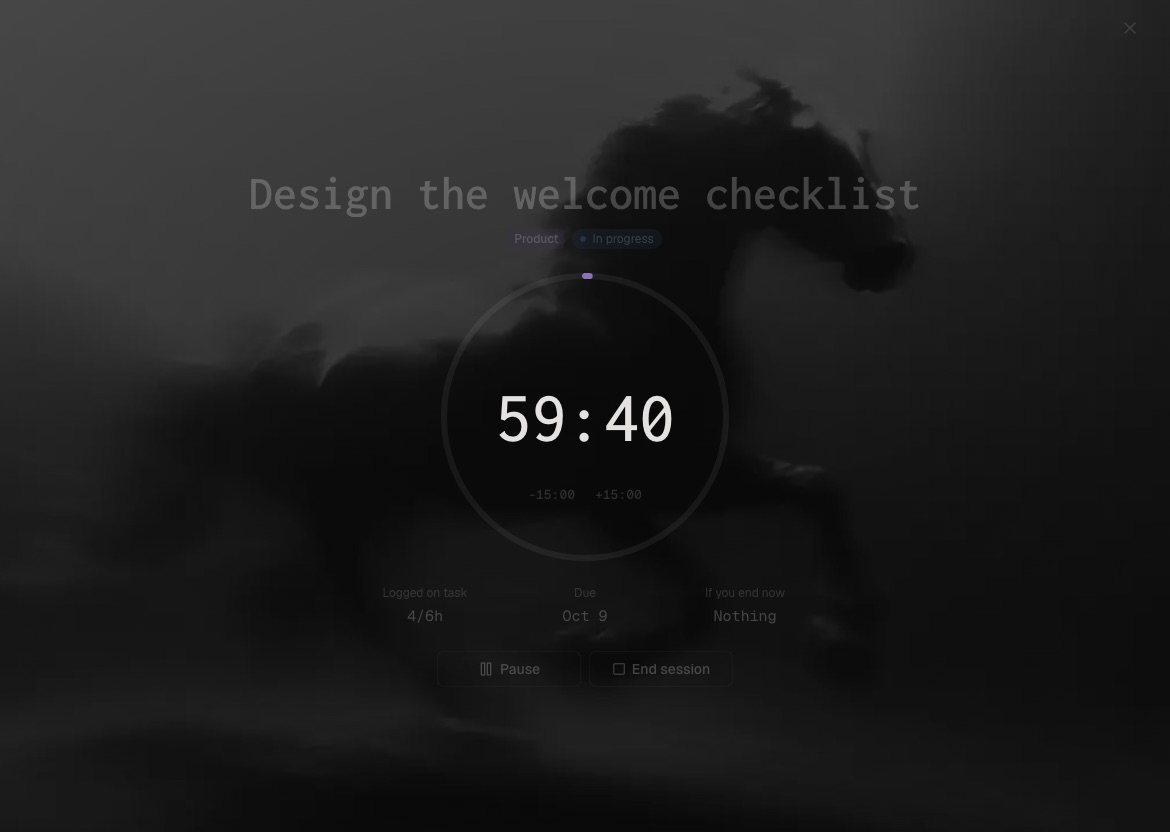
During a session you can:
- Pause when you step away.
- Complete subtasks without leaving focus mode.
- Switch or attach the selected task.
- Add a short reflection before saving the session.
Your timer keeps running if you leave the Lock In screen. In Preferences, you can ask Nox to bring the screen back after a short delay.
Use case: choose the next task, start Lock In, close unrelated tabs, and write a one-line note about the result when you finish.
Lock In works best when the task is clear. If you cannot describe the next action, rewrite the task or add subtasks before starting.
Pause for interruptions or breaks so saved time reflects focused effort. The goal is useful evidence, not a bigger timer.
If you finish early, end the session and save the result. If another session is needed, record the next starting point.